
Skip to navigation Skip to content Logic Studio Training Logic Studio Training Menu
  • Shop
  • Blog
  • Contact
  • Login
  • Shop
  • Blog
  • Contact
  • Login
  • $0.00 0 items
Home / Posts tagged “Notes Area”

Tag: Notes Area

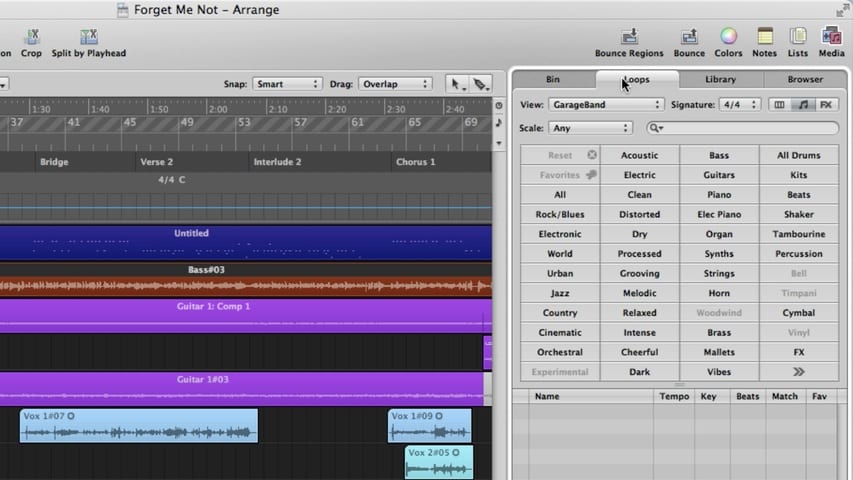
The Logic Pro Arrange Window Part 2 – Media Area Through Track Notes

The Logic Pro Arrange Window Part 2 - Media Area Through Track Notes

In part 2 of this Logic Pro premium tutorial, you’ll be given an overview of the Arrange Window. We’ll cover the Media Area, Audio Bin, Loop Browser, Library, File Browser, Notes Area, Project Notes, and Track Notes.

Welcome to Logic Studio Training!
Music Producer Lab
  • Apply for THE LAB
Recent Posts
  • Logic Pro and macOS Tahoe
  • Beat Breaker Explained: Logic Pro’s Most Playable Effect
  • 5 Markers of a Polished Mix That Don’t Require Expensive Gear
  • 3 Micro-Mixes That Will Make You Proud to Share Your Song
  • Logic Pro 11.2.2 Update
  • 7 Logic Features Every Singer-Songwriter Should Master (and 3 to Ignore)
  • Logic Pro 11.2.1 Update
  • How to Build Pro Vocal Chains in Logic Pro—By Genre, Using Only Stock Plugins
  • Logic Pro for iPad 2.2.1 Update
  • Compressor or EQ First? The Right Order for Your Logic Pro Template
Logic Pro For Dummies
Logic Pro X For Dummies
More Resources
  • Logic Pro For Dummies
  • Graham English
  • Speed Songwriting
Recent Posts
  • Logic Pro and macOS Tahoe
  • Beat Breaker Explained: Logic Pro’s Most Playable Effect
  • 5 Markers of a Polished Mix That Don’t Require Expensive Gear
  • 3 Micro-Mixes That Will Make You Proud to Share Your Song
  • Logic Pro 11.2.2 Update
Support
  • Login
  • Logic Pro Wiki
  • Contact Support
  • Privacy Policy
  • Terms of Use

Logic Studio Training

Your Ultimate Site for Logic Pro Tutorials.
© Copyright 2007-2025 Logic Studio Training. All Rights Reserved.