
Get Logic Pro 2 for iPad in the Apple App Store
Logic Pro 2 for iPad Release Notes
What's New in Logic Pro 2 for iPad
- AI-Enhanced Tools: New AI tools complement Smart Tempo and Pitch Correction to boost your artistry.
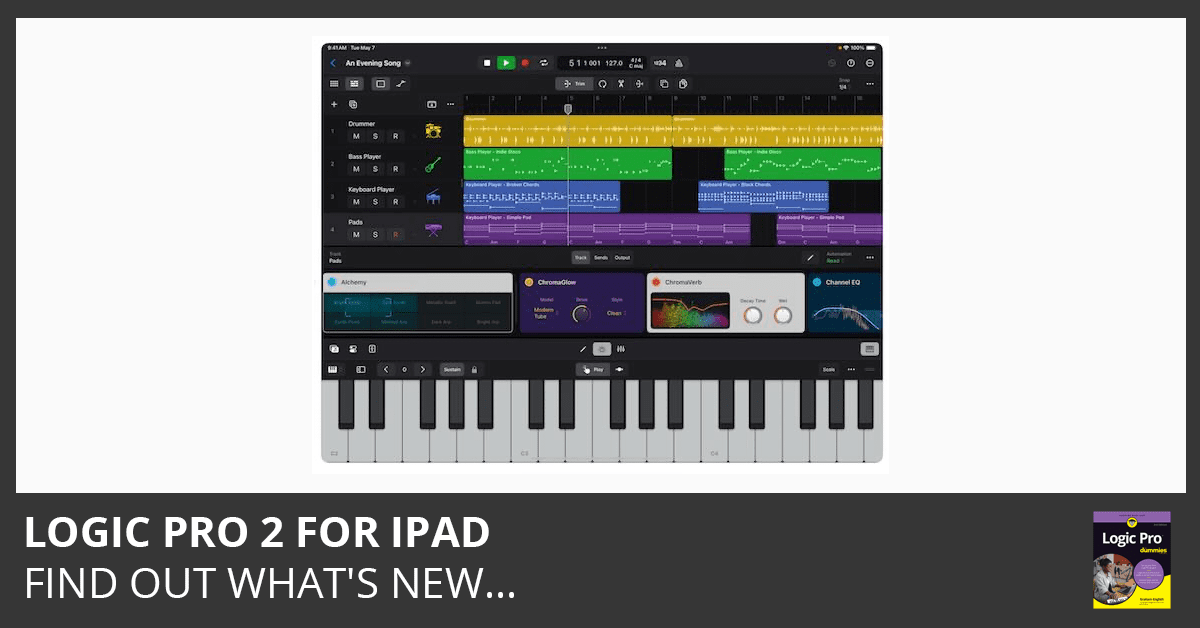
- Session Players: AI-driven Bass Player and Keyboard Player join Drummer, following chord progressions with the Global chord track.
- ChromaGlow Plug-In: Adds warmth with five saturation models simulating vintage analog hardware.
- Stem Splitter: Separates any mixed audio recording into Drums, Bass, Vocals, and Other instruments.
- Studio Instruments: Play deeply-sampled acoustic and electric basses with Studio Bass and meticulously-sampled pianos with Studio Piano.
- Loops with Chord Tags: Automatically populate the chord track when added to a project.
- Interactive Lessons: Learn how to use Session Players, ChromaGlow, Stem Splitter, and Sample Alchemy.
- Bounce in Place: Automatic real-time recording for External Instrument regions using the Logic Pro for iPad I/O plug-in.
- Advanced MIDI Routing: Route MIDI generated by software instruments and effects to other tracks for creative layering.
- Drag and Drop Patches: Easily drag and drop patches from the Content Library to Mixer channels and plug-in tiles.
- Key Commands: Toggle Metronome, Show/Hide Automation, Quantize, Show/Hide Global Tracks, and Enable/Disable Groups with new key commands.
- Enhanced Project Management: Create duplicates of open projects and rename channels efficiently in the Mixer.

Free Download
Get the Free Logic Pro Quick Start Guide
The key workflows, settings, and shortcuts to get up and running in Logic Pro fast. Enter your name and email and I'll send it right over.
Your information stays private. No spam, no sharing, ever.