
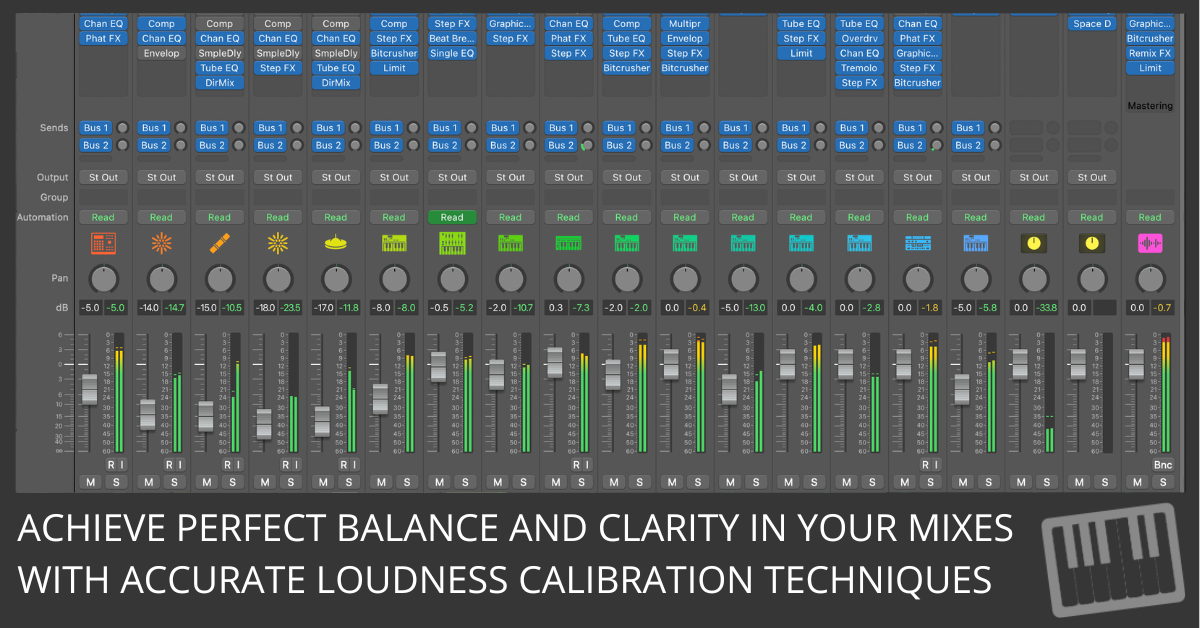
Are your mixes really balanced?
Are you sure your mix sounds as balanced as you think it does across different systems?
Achieving a balanced mix in Logic Pro starts with understanding how to calibrate loudness and adjust levels properly.
Calibrating your monitoring system ensures consistency and accuracy, making it easier to balance individual tracks within the mix.
This guide walks you through setting your system to a standard reference level of 83 dB SPL, which is commonly used in the audio industry. It offers tips for maintaining consistent levels across your project and explores best practices for balancing individual tracks to create a cohesive and polished mix.
Step 1: Calibrate to 83 dB SPL
Why 83 dB SPL?
The film and audio industries use 83 dB SPL (Sound Pressure Level) as a monitoring reference because it matches how the human ear perceives loudness. At this level, frequencies are heard more evenly, making balance decisions more accurate. Mixing at 83 dB SPL helps your work translate to headphones, car stereos, and other playback systems.
How to Calibrate Your System
- Get a Sound-Level Meter
A sound-level meter is the only reliable way to measure loudness. You can use a physical meter or a smartphone app. Set the meter to C-weighted and <>slow response for accurate readings.- C-weighting matches human hearing, emphasizing midrange frequencies.
- Slow response smooths quick fluctuations for a steadier reading.
- Position the Meter
Place the meter where your head normally is while mixing—right in the “sweet spot” between your monitors. That way, the calibration matches what your ears actually hear. - Adjust the Monitor Gain
Play a well-mixed reference track with plenty of dynamic range. Adjust your audio interface or amplifier’s master volume knob (not Logic Pro’s fader) until the meter reads 83 dB SPL. - Mark Your Settings
Once you hit 83 dB SPL, mark the spot on your monitor knob. This lets you return to the calibrated position anytime you’re mixing.
Step 2: Monitor Consistently
Calibration isn’t something you set once and forget. To keep your mixes balanced, you need consistent monitoring habits. Listening at 83 dB SPL all day can cause fatigue, so adjust smartly while keeping your reference in check.
Practical Tips for Consistent Monitoring
- Return to 83 dB SPL for Critical Adjustments: Always go back to your calibrated level when fine-tuning vocals, bass, or lead instruments.
- Lower the Volume for Long Sessions: Protect your ears by mixing at lower levels during long stretches, then return to 83 dB SPL when accuracy matters.
- Use a Reference Track: Keep a favorite mix handy and check against it at the same calibrated level to stay on course.
Step 3: Balance Individual Tracks
With monitoring locked in, you can shape the mix itself. The goal is to spotlight the most important part of the song at each moment—lead vocal, guitar solo, synth line—while everything else supports it.
Best Practices for Track Balancing
- Start with the Most Critical Elements
Set the level of the main focus first, usually the lead vocal or solo instrument. Make sure it sits above supporting tracks without being overwhelmed. - Adjust Supporting Tracks Gradually
Bring in rhythm instruments, background vocals, and effects one step at a time. Small tweaks prevent the mix from getting cluttered. - Consider the Context
Different genres and song sections have different balance needs. A rock chorus might need loud guitars and drums, while a pop ballad may keep the vocal in front from start to finish. - Balance with the Big Picture in Mind
Don’t just make every track audible—make them work together. A balanced mix feels cohesive because each element supports the overall sound.
Conclusion: Achieving Professional Balance
Mixes that translate across headphones, speakers, and cars start with a reliable monitoring setup. By calibrating your system to 83 dB SPL and keeping track levels balanced, you’ll make decisions that hold up everywhere. The result is a clear, dynamic mix where every part has its place.
Free Download
Get the Free Logic Pro Mixing Cheat Sheet
The essential mixing reference for Logic Pro — key settings, signal flow, and mix decisions on one page. Enter your name and email and I'll send it right over.
Your information stays private. No spam, no sharing, ever.
For in the fly mixing and mastering, I just use “broadcast ready” under the settings of the master track, and other options. I’m a troubadour who does one night stand productions so I can move on to the next cause. I appreciate the speed songwriting and am actively doing speed production and distribution. I appreciate your work and future plans.
Thanks for sharing your process! Using the “broadcast ready” setting for quick mixing and mastering is a smart move, especially when you’re focused on speed and creativity. It’s great to hear you’re applying Speed Songwriting to your one-night stand productions. I’m excited to keep offering tools that streamline the creative process. Keep up the great work—can’t wait to see where your music goes next!